 RenewKeeper
Spaces
A Space is a self-contained area for a related set of items. Most people set up one for Work and one for Household. Consultants and agencies often set up one per client. Each Space keeps its own items, its own custom categories, and its own members, so a client's renewals never bleed into your personal ones.
Every item belongs to exactly one Space. Every account starts with one Space.
One person splitting personal life from freelance work: Household, Personal, and Vehicle & Insurance sit apart from Freelance Business, Home Office, and Subscriptions.

A company using Spaces for internal departments (Head Office, IT Infrastructure, Marketing, Finance & Legal, HR & Facilities) alongside one Space per client (Acme Corp, Globex Ltd, Initech, Umbrella Inc).

Items and categories
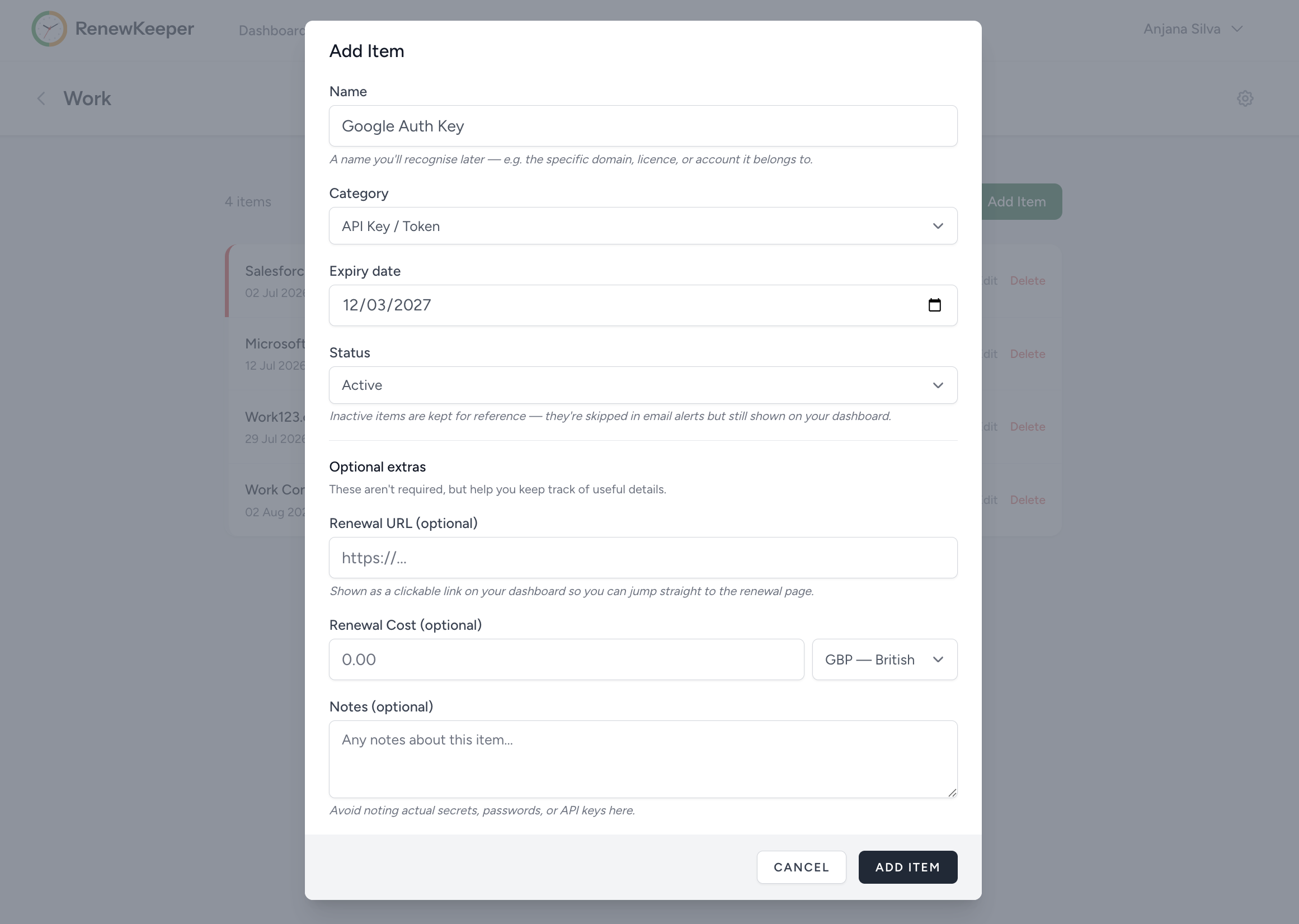
An item is one thing that expires. Give it a name, pick a category, and enter the expiry date. That's the minimum. You can also add a renewal URL (so future-you can click straight to renew), a cost with a currency (so future-you can see how much you spent on it last time), and free-text notes.
Ten built-in categories cover the common cases: SSL certificate, domain, API key or token, software licence, subscription, contract or agreement, insurance, vehicle, document or ID, and a catch-all "other". If none of those fit, add your own custom categories inside a Space.
There is no field for a secret anywhere in the app. RenewKeeper is not a password manager and never asks for your API keys, private keys, or credentials. You record the fact that something expires and when, not the sensitive value itself.
The dashboard
The dashboard is designed for one job: telling you what needs attention now. By default it groups items by urgency across every Space you can see. Red (🔴) items are urgent (expired or within 7 days). Amber (🟡) is warning (within 30 days). Blue (🔵) is upcoming (within 60 days). Items further out than 60 days sit in a muted healthy section at the bottom, so the attention area is always what's genuinely close.
Toggle the grouping to Space and the same items regroup, one section per Space, sorted by urgency within each. Same information, different lens.

Live checks (SSL and domains)
Two categories check themselves. When you add an SSL certificate, RenewKeeper checks the certificate over a native TLS connection and stores the real expiry date. When you add a domain, it queries WHOIS and does the same. Both categories re-check every day at 2am UTC, so the date on your screen matches reality* even when a certificate renews or a domain gets extended.
Everything else is manual entry. You set the date once and RenewKeeper watches the clock.
Live checks run on every plan, including Free. Knowing whether your certificate is actually about to lapse is a safety basic, not a paywalled feature.

The weekly digest
Once a week, on a fixed day, at 8am in your local timezone, RenewKeeper sends you a digest email. The digest arrives even when everything is fine. If it didn't (if silence meant "nothing to say"), you'd have no way to tell the difference between "quiet week" and "the alert pipeline broke". So an all-clear digest reads "nothing expiring in 60 days, all clear", and that itself is the signal.
Every digest carries the full picture, grouped by urgency:
Each entry shows the item's name, category, expiry date, days remaining and which Space it belongs to. If you have items in multiple Spaces, one digest covers them all.

Threshold alerts
Alongside the digest, RenewKeeper sends per-item warnings at three key moments before expiry, and one on expiry day itself:
- 7 days out, a first heads-up.
- 3 days out, getting close.
- 1 day out, last call.
- On expiry day, so nothing slips silently.
Multiple items reaching a threshold on the same day arrive as one email, not one per item. If a threshold day happens to fall on your digest day, the two merge into a single email with a subject line that reflects both.
Alerts are identical on every plan. The differences between Free, Pro, and Teams are about how many items and Spaces you can have and who you can share them with, never about being warned in time.
Push channels (Slack, Teams, webhooks)
Email is the baseline for every plan. Teams-plan users can also route alerts to one push channel of their choice:
- A Slack channel, via an Incoming Webhook URL.
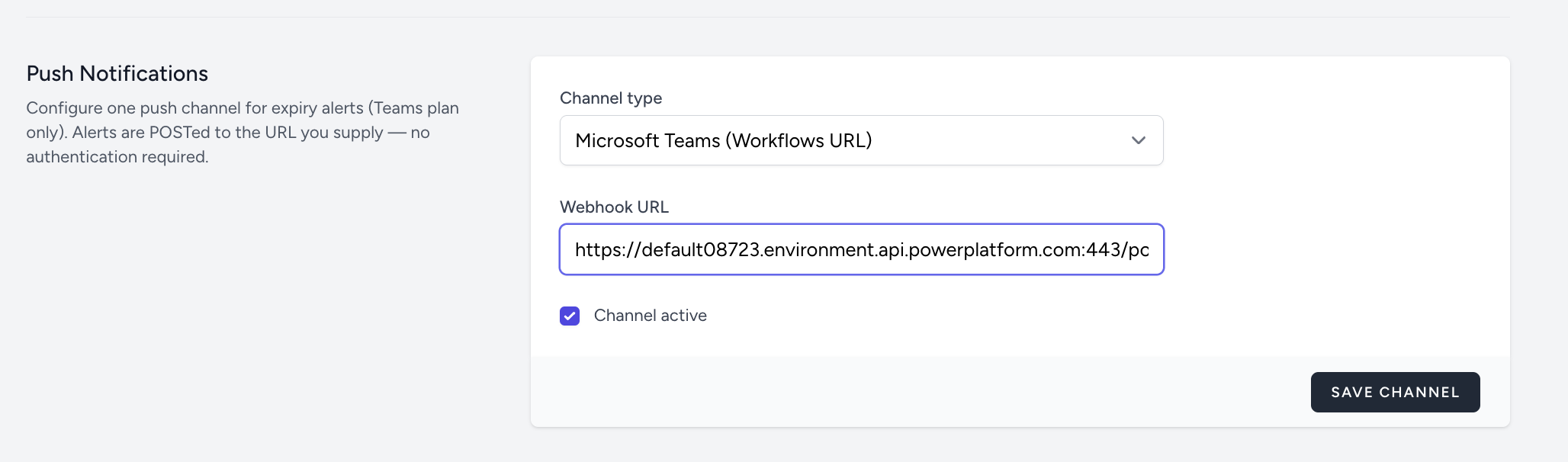
- A Microsoft Teams channel, via a Workflows URL.
- Any generic webhook, if you want to pipe alerts somewhere custom.
Paste the URL once, use the Send test button to confirm it's working, and future alerts arrive there alongside email. The last delivery status is shown in the app so a rotated or revoked URL never fails silently. Push channel configuration can be found under Manage Account -> Profile.
Sharing a Space
The owner of a Space invites a member by email address. The invitation email includes a secure link that expires in 48 hours. If the person you invite already has a RenewKeeper account, one click adds them. If they don't, the link takes them through sign-in with Google or Microsoft and drops them straight into the Space when they land.
Once someone is a member, they start receiving alerts for that Space automatically. If a member has several shared Spaces, they can mute any one of them without affecting the others.
A member of your Space never uses up their own account's allowances. Their personal Spaces and items sit alongside anything you've shared with them. A Space can be shared by going to Space -> Cog (⚙️) icon.

Members and roles
Every invited member starts view-only, on every plan. They can see all the items in the Space, receive alerts, mute the Space if they want to, and leave whenever they choose. What they can't do is add, edit, or renew items. This is the safe default so accidental invites can't break your data.
On the Teams plan, the owner can promote a member to admin. Admins can create, edit, and mark items as renewed. Promotion and demotion are the owner's call alone. Admins do not gain the right to invite people or change other people's roles.
Promoting somebody has no billing effect. On Teams, a seat costs the same whether the person is a member or an admin.
Renewals and history
When you renew something, mark it as renewed in the app and enter the new expiry date. RenewKeeper preserves the previous date, along with any cost and note you add, in a renewal history for that item. Over time this builds up a record of what you paid, when, and in which currency.
Costs support multiple currencies. Each cost is stored in its own currency (as an ISO 4217 code such as GBP, USD, or EUR), never converted. Cross-currency subscriptions stay honest and unambiguous, at the cost of not being totalled across currencies.

A consolidated Renewal History view lists every renewal across all your Spaces in one table, newest first, with the date change and cost change for each, who renewed it, and filters by Space, category, and date.

Ready to try it?
The free plan is enough to see how everything above feels in practice. Sign up with your Email, Google or Microsoft, add your first item, and live without worrying about renewals.
Sign up free